Pagebase is in development — sign-ups are temporarily closed.
The Builder

The editor — made for designers.

A workspace without noise. Left for layers, right for options, middle for your work. No plugins, no menus three levels deep — everything where you expect it.
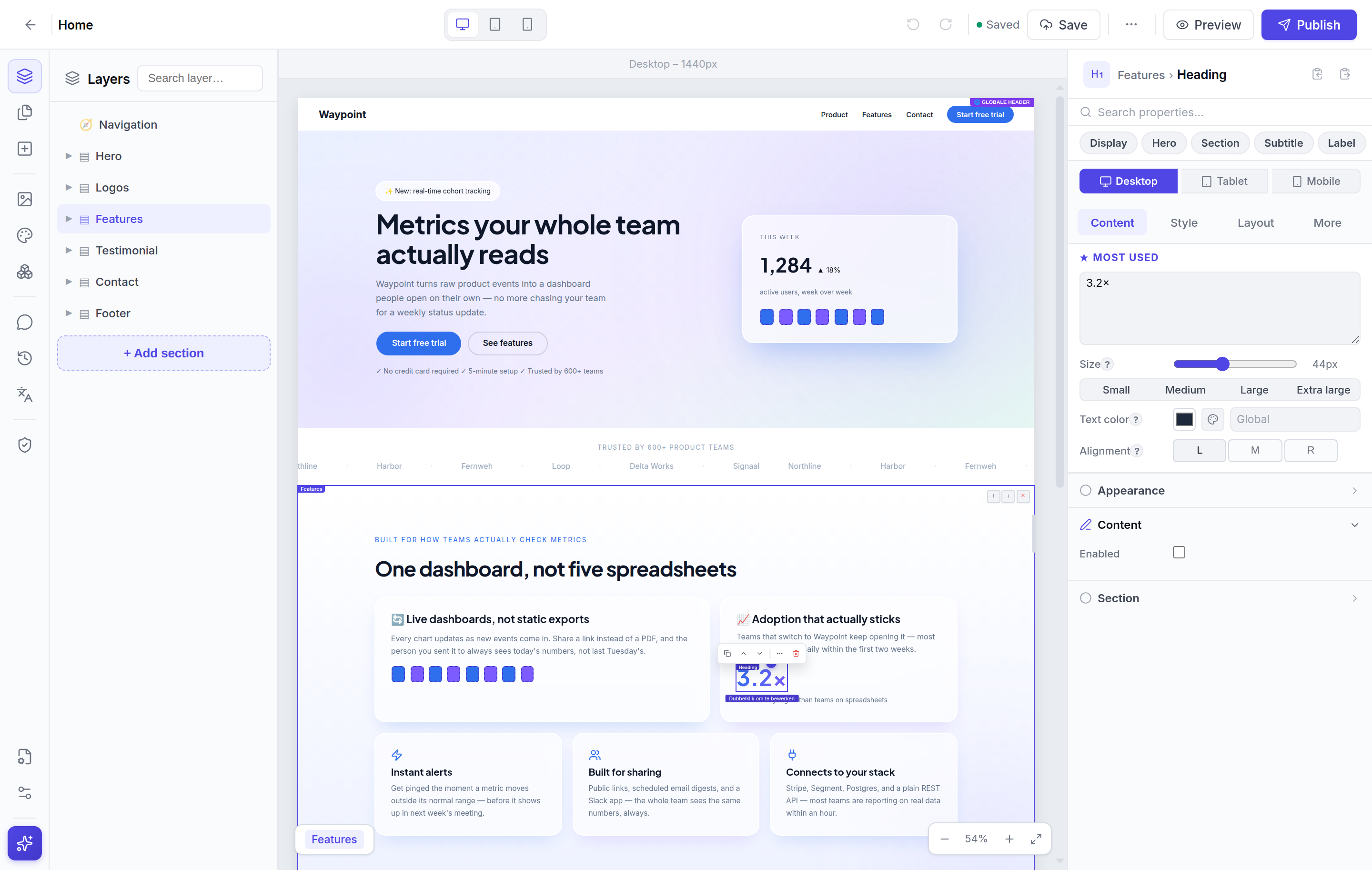
app.pagebase.app/editor/42
The zones

Three panels. Each with one purpose.

Left panel — structure

Layer tree, pages, media, components, audit. Everything that's about your site's content.

Canvas — work

The live preview itself. Click an element to select, double-click to edit, drag to move.

Right panel — properties

Style, layout, animations, custom code. Per element grouped into 14 logical sections.

Editing

Edit anything. Right where you see it.

No properties dialog hidden behind a button. Click a piece of text — it becomes a rich-text editor with bold, italic, links, colours — exactly like in your favourite docs editor.

  • Inline rich-text with B / I / U / colour / links
  • Double-click an image = replace via media library
  • Right-click for crop, focal point, duplicate, delete
  • Drag + drop between sections or within columns
...
B I U
Responsive

Designed for every screen.

Per-breakpoint control. Not "shrink the desktop down" but real layouts per viewport. Resizing tells you exactly what is changing where.

  • Per-breakpoint padding, font-size, layout, visibility
  • Banner shows which breakpoint you're editing
  • Live width-resize handle on the canvas edge
  • Mobile-first thinking without mobile-first complaining
Versions

Nothing ever lost. Promised.

Every publish creates a snapshot. Restore in one click. Works for one page, one section, or your entire site. Never lose work to a bad save again.

  • Automatic snapshot on every publish
  • Manual snapshots with your own label
  • Last 30 versions kept
  • One click to restore — with automatic backup first
Publicatie 5 mei 2026 — 14:23
Vóór hero-redesign 3 mei 2026 — 09:18
Publicatie 1 mei 2026 — 16:42
Speed

For people who don't want to click for everything.

Every common action has a shortcut — standard Mac/Windows conventions.

SSave
ZUndo
DDuplicate
GGroup
KCommand palette
?All shortcuts
Try it yourself

Open the editor. Build something beautiful.

No tutorial needed. The interface tells you where to be.

Start free